DXF
DXF import
You can import a DXF file as an underlay, or convert its lines into beams. See DWG / DXF import.
DXF export
With DXF-Export you export the designed additional reinforcement, the stirrups and the pile positions of the concrete beams to a DXF file. A draughtsman can open this file in AutoCAD and take the reinforcement over into the drawing quickly, with less risk of errors.
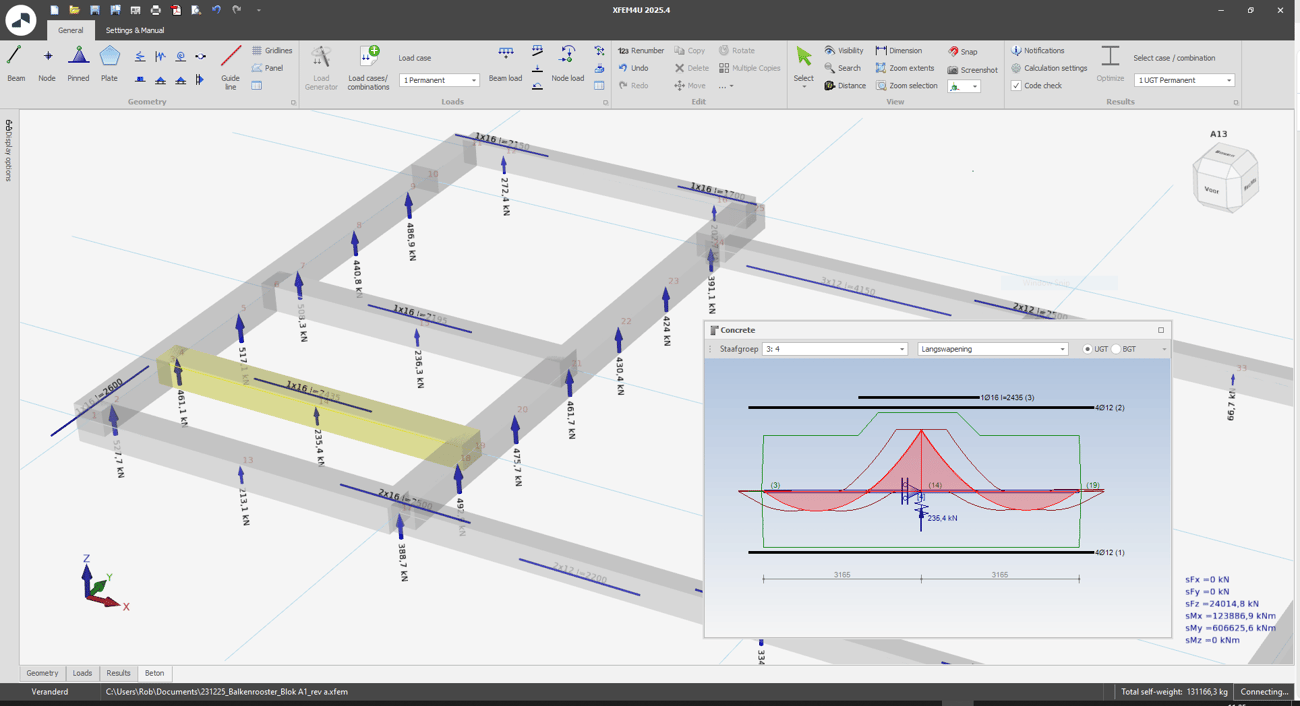
Before you export
The export uses the reinforcement that XFEM4U has designed. So first make sure that:
- Concrete code under Code check is switched on in the Calculation settings, and
- the model has been calculated.
For a beam grid on piles you can first optimise the pile distances and the stirrups, see Beam grid concrete.
How to export
- Open the menu and choose Export > DXF-Export.
- Choose a folder and a file name. By default the file gets the name of your model.
- Click Save.
You can open the DXF file in AutoCAD, or in any other program that reads DXF.
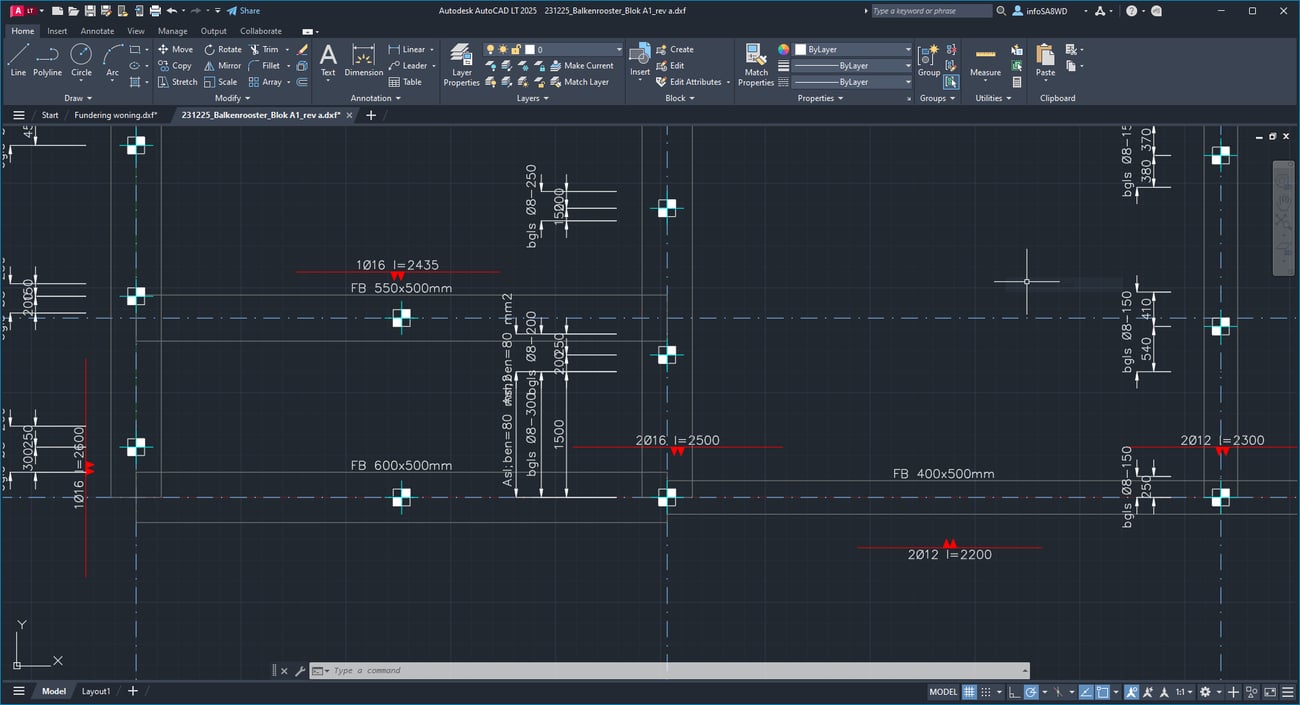
What is in the DXF file
The drawing uses the coordinates of your model, in millimetres. For a beam grid this gives a plan view. Each part is on its own layer, so you can switch the parts on and off:
| Layer | Contents |
|---|---|
| Concrete | the outline of each concrete beam, with its profile name |
| Reinforcement | the additional longitudinal reinforcement per bar layer, with number, diameter and length, for example 2Ø16 l=3400. Top reinforcement is drawn on one side of the beam axis, bottom reinforcement on the other side |
| Stirrups | a dimension line for each zone with extra stirrups, for example bglsØ8-150, and, where needed, the longitudinal reinforcement for torsion, for example Asl=120mm2 |
| Piles | a pile symbol at every node with a support |
| DimensionLinesPiles | the distances between the piles along each beam |
| GridLines | the grid lines with their names |
| Cross sections | a cross-section of each concrete profile, below the plan view, with the stirrup, the bars and the size of the section |
| Scheme | the system lines (centre lines) of all beams. This layer is switched off; switch it on in AutoCAD when you need it |
Good to know
- Only the extra stirrups are drawn in the plan view. The standard stirrup of a profile is given in its cross-section.
- The piles are not numbered.
- Outlines, reinforcement and cross-sections are exported for concrete beams only. Plates, loads, and node and beam numbers are not exported.
- DXF-Export is not available in the XFEM4U viewer.
See also
- Beam grid concrete - pile distances and stirrups
- Reinforcement - adjusting, extending and deleting reinforcement bars
- DWG / DXF import - importing a DXF file as an underlay or as beams