Find

The Find feature makes it quick and easy to find a node, beam or profiles.
How Does That Work?
You choose Nodes, Beams or Profiles. The combo box is filled with the visible nodes, beams or profiles. The whole model is drawn transparently except for the node, beam or profiles you are looking for. It is very intuitive.
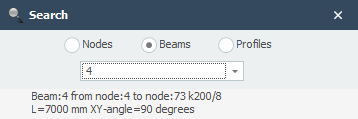
To change the node or beam you can also click on the node or beam in the 3D model.